Super Star Car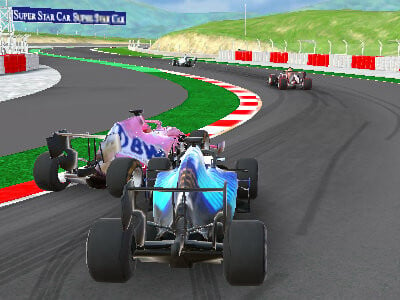
Super Star Car controls and racing guide
| Action | Control |
|---|---|
| Drive and steer | WASD or arrow keys |
| Change camera | C |
| Reset the car | Space |
Start with a controlled lap
Super Star Car is an open-wheel circuit racing game by Barnzmu. Use the career menu to choose a race, then learn the route before trying to push every corner. Watch where the road tightens and where a straight gives you room to accelerate. Completing a tidy lap gives you a useful reference for the next attempt and makes repeated mistakes easier to spot.
Brake before you turn
Approach a corner with enough time to slow the car while it is still pointing along the straight. Turn toward the inside of the bend, then gradually accelerate as the exit comes into view. If you repeatedly run wide, begin braking earlier on the next lap. Holding maximum acceleration through a sharp bend makes it harder to keep the car on a consistent line.
Choose a camera you can read
Press C to cycle through the available views. Use a view that lets you see the next corner and judge the position of nearby cars. Keep the same view while learning a circuit so your braking references stay consistent. If you lose control or become stuck, Space resets the car; it is a recovery control, not the handbrake used in some other driving games.
Progress through the racing career
Follow the options presented by the career menu for races and upgrades. Before changing the car, identify one problem in your driving: a late braking point, a wide corner exit or an unnecessary reset. Repeating a race with a cleaner line helps you separate the effect of your inputs from the effect of an upgrade. The provider controls the available events and progression in this version.
Can I play on mobile?
The embedded AntGames version on this page is intended for a computer with a keyboard. On phones and tablets, this site shows a Play on a computer notice instead of launching the main game. Switching to fullscreen does not add mobile controls. You can still browse the other games and read their individual device notes; support varies by title.
Play in your browser without an installation
Choose Play game on a supported computer to load the external player on this page. No download is required for this browser version. The provider may show advertisements before play and controls its own game data and services. This site is independent of the developer and Formula 1. If loading stops, use Reload game or the link to open the provider player in a new tab.
Choose your next challenge
- MR RACER: Car Racing — Switch from circuit laps to traffic driving challenges.
- Car Stunt Racing Stylized — Try ramps and landings when you want a break from circuit racing.
- Truck Simulator Arcade Championship — Read the truck controls and try a different kind of racing vehicle.